


 Facebook
 Facebook BM
 Instagram
 Classmates
 VKontakte
 Twitter (X.com)
 Linkedin.kom
 Pinterest
 Tumbbler
 Redid
Redid Quora
Quora Discord
 Telegram
 Tiktok
 Tiktok ads
 Percussion
 Postal services
 Text
Text Mamba.ru
 Tabor.ru
 Forums and websites
 OLX
OLX Yandex Direct
 Google Ads
 Proxy
Proxy User agents
 SEO services
 Selling traffic
 Promoted accounts
 Promotion services
 YouTube
 Twitch
 Spotif
 Online cinemas
 Game accounts
 Livejournal
 Blogger.kom
 Mega.nz
 Google
 Microsoft
 apple.com
 Services
 Bitcointalk
 Other
OtherHow to place an order in the store?
 Dear customers, we are often asked -how to place an order on our website?
In fact, everything is very simple. In this article we will look at a small sequence and answer this question.
The entire process ofpurchasingaccounts and mailboxes takes no more than 2-3 minutes from the moment you start registration!
A few steps when placing an order!
First of all, you need to decide what you need.
Select the desired category in the list above, or through the icons on the main page of the site.
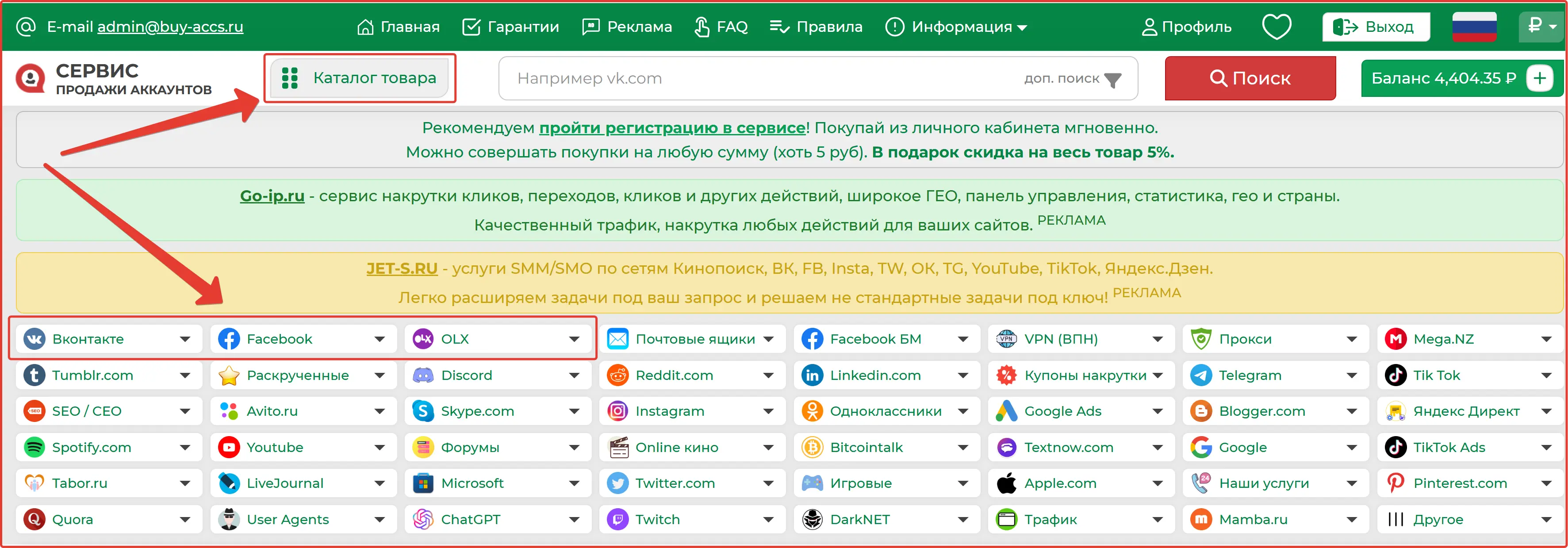
After this, a page with available product offers opens.You can filter them by price, quantity, or other characteristics.
Be sure to read the short name of the product and the full description (it appears when you click on the information icon).
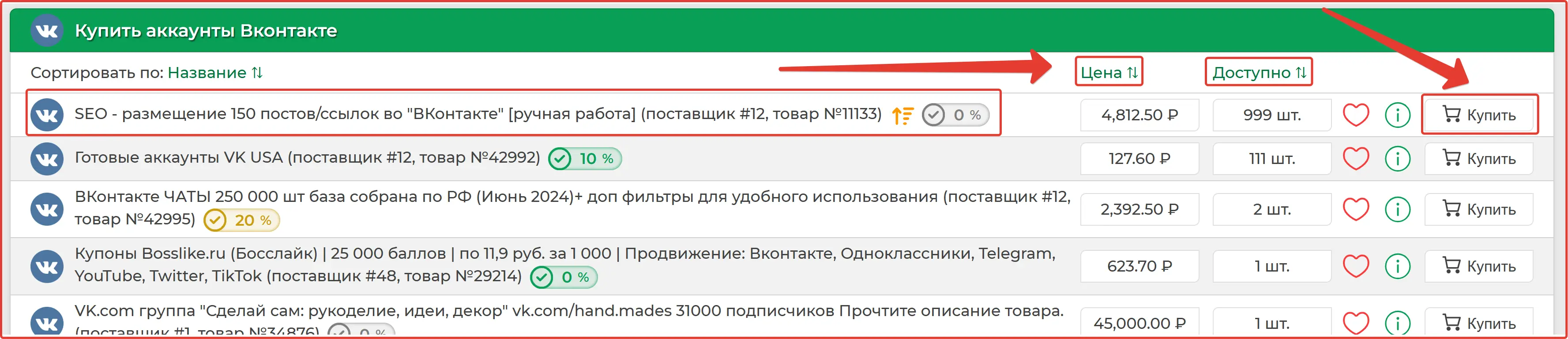
When you are completely confident in your purchase, click the button on the side of the desired product - buy!
A window will open in front of you, here you need to specify:
- Product quantity (for example 2 pieces)
- Payment type (select a gateway where your method is available)
- Enter your email
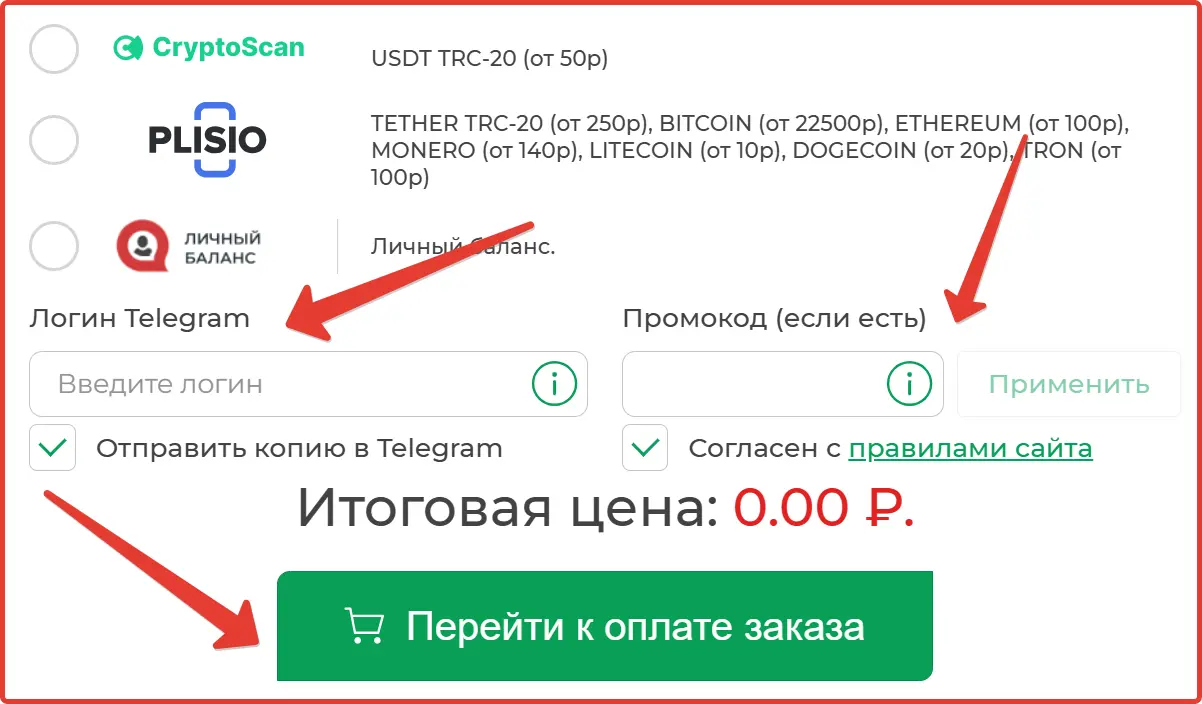
- Specify telegram (if you want to receive a message there)
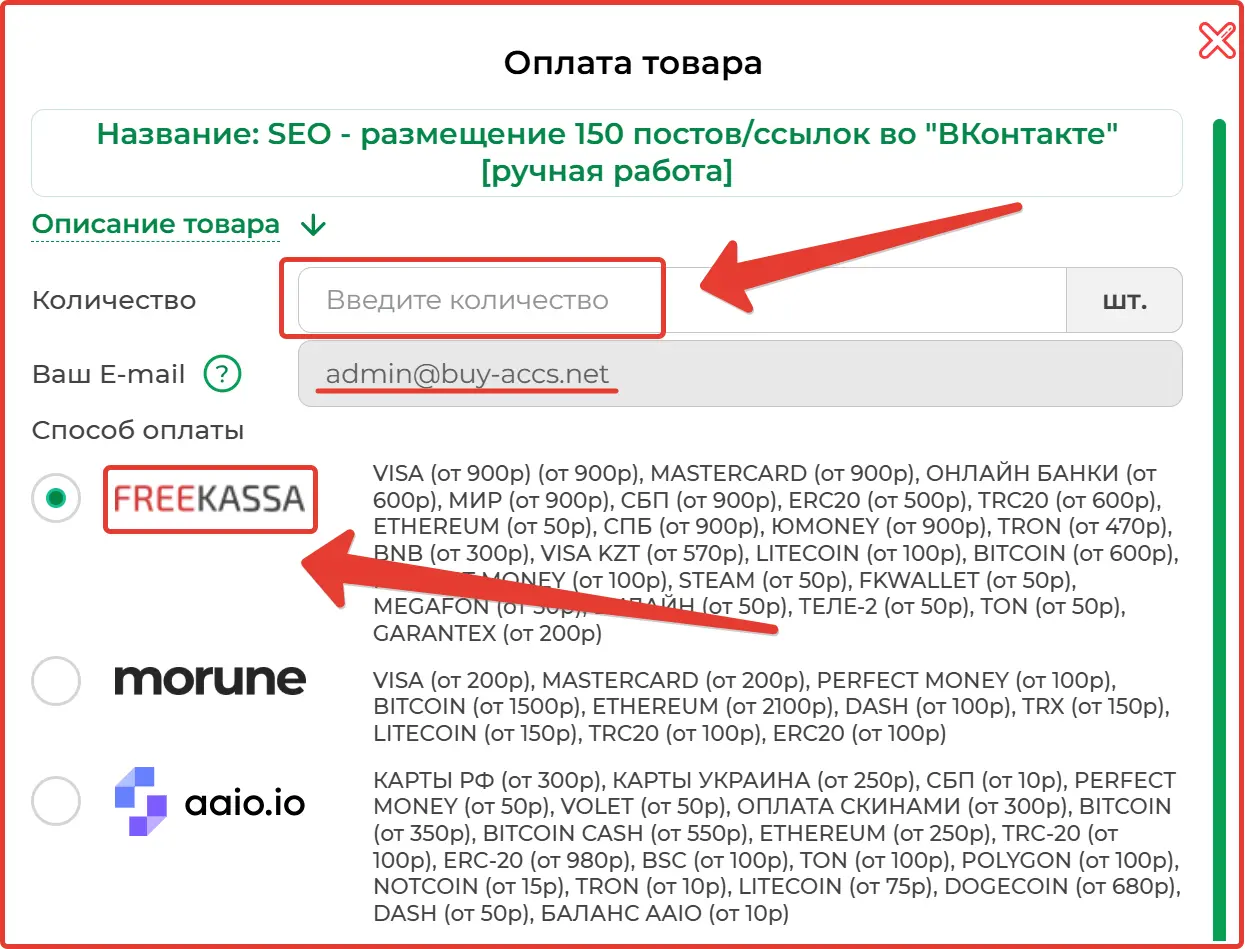
A pop-up window will open with you selecting the quantity of goods, entering your mailbox and payment methods.
Our store uses payment gateways.
A gateway is a terminal that can accept various coins (for example, card payments, or Yumani, or cryptocurrency and more).
Each gateway has different and similar payment methods, choose the one you like.
Several different types of delivery are used to receive goods:
- The product arrives at your email
- Additionally sent in telegram (if you subscribed to the bot and entered your login)
- Also, after payment you will be automatically redirected to a page where you can download the product.
Additionally, at the time of payment, a personal account is created (where the entire purchase history is stored).
Be careful: telegrams contain information about the entire product (including the download link).
If everything is done correctly, enter your telegram login (recommended).And click "Proceed to pay for the order".
How quickly will accounts arrive after purchase?
All orders in our store are sent within 1-2 minutes.Wait for an email with the product.
We send accounts in a regular text file. The file extension is only .txt.
You can open such files in a regularNotepad++or even notepad.
All other editors can display it as a crack.
The attachment is .txt filewhich contains the necessary logins and passwords for purchased accounts.
To ensure that accounts reach you, be sure to add the sender mailboxadmin@buy-accs.ruandadmin@buy-accs,net, otherwise the letter may end up in the SPAM folder.
We described in detail how to do this in the instructions -how to add a mailbox to the white list (contacts).
We understand that your order is the most important and you should be the first. However, all orders are sent automatically!
We were glad to help, the Buy-accs.ru and Buy-accs.net team

Instant delivery:sending goods by e-mail or telegram within 5 seconds!

Convenient access:download accounts in your personal account or via a direct link without registration.
Order history:automatic creation of a profile to manage your purchases.

Verification guarantee:we provide from 1 to 24 hours for testing the purchased product.

Huge selection:accounts of social networks, email services, forums and instant messengers.

High stability:all positions are tested for compatibility with most Proxy.
Service presentation - how to place an order!
Similar materials on this topic
If you do not receive our letters, try adding the addressadmin@buy-accs.ruandadmin@buy-accs.netto the contact list of your mail service. Here's how to do it for popular services: Gmail, Yandex mail, Rambler, Mail.ru. For Gmail mailbox To add our address to the white list, first log in to ...
more details ⟶Proxy server— this is an intermediate link between your device and the Internet. When you use a proxy, your requests are first sent to this server, and then it contacts the desired web resource on your behalf. Simply put, a proxy acts as an intermediary that transfers data between you...
more details ⟶Buy mobile proxiesis becoming an increasingly popular solution among users seeking maximum security and efficiency on the network. These special proxy servers operate through mobile network IP addresses (3G/4G/5G), making them virtually indistinguishable from regular smartphone users. Pr...
more details ⟶Kijiji.ca— is a popular Canadian online platform for buying and selling a variety of products, ranging from electronics and furniture to cars and real estate. Here users can place ads, look for great deals, and find new or used /items near home. For the convenience and safety of al...
more details ⟶Bulk messaging on WhatsApp— is sending messages to a large number of recipients simultaneously through a popular instant messenger. Allows businesses to maintain contact with customers and partners, as well as increase engagement. In ouraccount storeyou can quickly and onlineb...
more details ⟶Wildberries -a popular market place for various goods for the home, auto, everyday life and entertainment. In our service you canbuy accountsand databases for mailing out the service Wildberries. All accounts are sold strictly to one person. Issue occurs online, 24/7 every day of the year. ...
more details ⟶